 |
|
More Related Stories |
 |

From: $369 to $387  |
|
Adobe Photoshop Creative Suite 2.0 For Windows
Adobe Photoshop Creative Suite 2.0 V9.0
From: $367 to $708 |
|
Adobe Photoshop Creative Suite Premium 2.0 For Windows
Adobe Photoshop Creative Suite Premium 2.0 V9.0
From: $992 to $1,469 |
| Page (1) of 1 - 07/13/06 |
 email article email article |
 print
page print
page |
The brushes
There are 15 brushes in this newest collection, divided into three related categories: hair, fur and stubble. The hair brushes combine both straight and curly hair and are generally designed for creating human hair effects. And the straight brushes are designed to create the strands in the direction of the brushes stroke. The fur brushes, on the other hand, are designed for creating animal fur effects. All of these brushes are slightly wavy, and the strands are drawn at 90-degree angles to the direction of the stroke. (In other words, if you paint left to right, the strands will be vertical.)
All of the brushes in this collection are fully dynamic for use with Wacom tablets. The principal dynamics used are shape and scattering, as well as color and opacity for dynamically brushing on subtle variations on each paint stroke. (Most of the hair brushes do not use opacity dynamics, but you can add those in, if need be.)
The brushes in this collection are small to medium in size, ranging from 21 to 370 pixels in diameter. Hence the fairly small (20 KB) download.
Here are examples of all of the 15 of the brushes available in this collection. Note that these examples were created with two layers each: one layer for the skin or other type of background and one layer for the hair or fur. The actual hair/fur/stubble were, in general, created with just a few strokes, though some were modified afterwards with contrast or hue/saturation effects. Download and installation instructions follow below the examples.
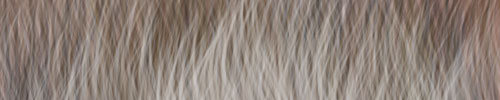
Nagel Series 43 Fur 01
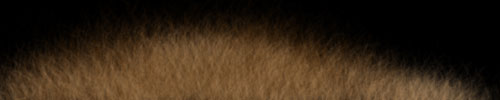
Nagel Series 43 Fur 02
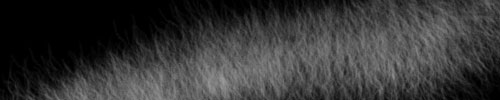
Nagel Series 43 Fur 03
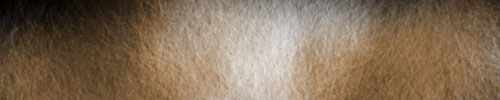
Nagel Series 43 Fur 04
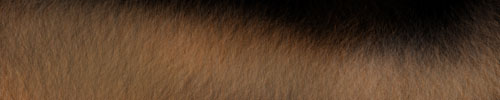
Nagel Series 43 Fur 05
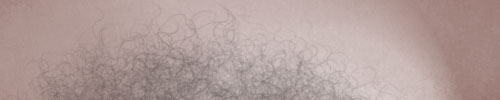
Nagel Series 43 Hair 01
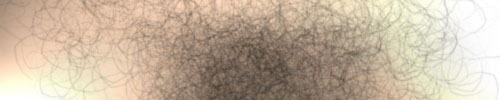
Nagel Series 43 Hair 02
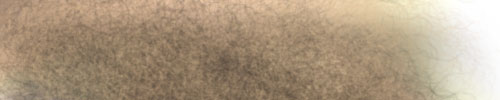
Nagel Series 43 Hair 03
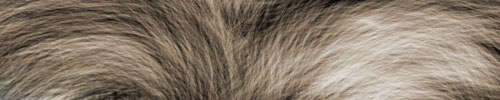
Nagel Series 43 Hair 04
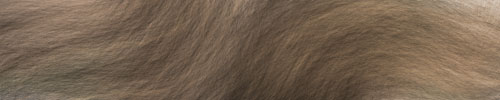
Nagel Series 43 Hair 05
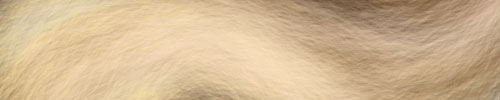
Nagel Series 43 Hair 06
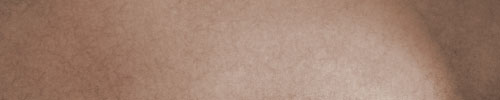
Nagel Series 43 Hair 07

Nagel Series 43 Stubbly 01
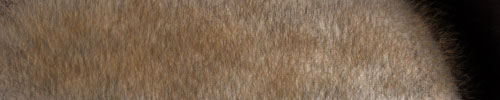
Nagel Series 43 Stubbly 02
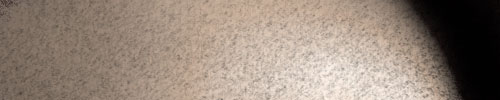
Nagel Series 43 Stubbly 03
Download and installation
As usual, this week's collection of brushes are available free of charge for use in both commercial and non-commercial projects. But I am interested in how these brushes are being used, so please drop me a line at [email protected] with any information you can provide on how you're using them and where I might see examples. These brushes support Photoshop CS and CS2, though it should be noted that Photoshop CS2's paint engine has become extremely unstable when running under Mac OS X 10.4, so Photoshop CS is recommended until either Adobe or Apple can come up with a solution for this lingering problem. These brushes are also supported in recent releases of Adobe Photoshop Elements. The brushes run on Mac and WIndows systems, including Intel-based Mac systems running Photoshop under Rosetta.
To download the brushes (NagelSeries43), follow the download link below.
Download: Nagel Series 43 (20 KB zip archive)
Once you download the file (NagelSeries43.zip), decompress it. It will then be called NagelSeries43.abr. Place the decompressed file into your Photoshop brushes directory, either at /Applications/Adobe Photoshop/Presets/Brushes/ or /Applications/Adobe Photoshop/Presets/Brushes/Adobe Photoshop Only/.

Once you do that, launch Photoshop, and open up the Brushes palette. Click on the flyaway menu on the top right of the palette, and you should see this brush collection listed in alphabetical order.
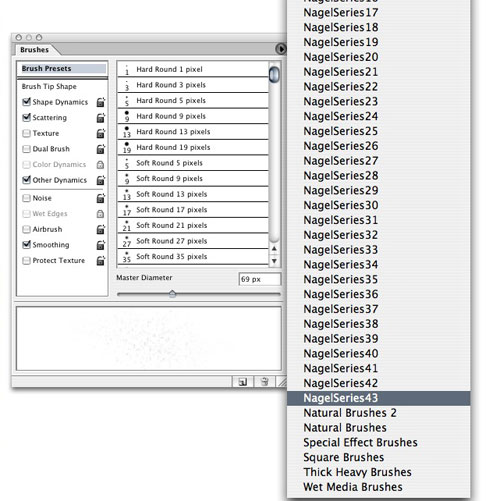
Select it, and the brushes will be added to your presets.
You can also load brushes manually by clicking on the flyaway menu in the Brushes palette and choosing "Load Brushes" from the list of available options.
Now you're ready to paint. Have fun!
And remember, if you'd like to find more of our free downloads, you can locate them by clicking on the links below.
- More Brushes for Photoshop
- All Free Downloads
 If you liked this article
click here to recommend it.
Page: 1
If you liked this article
click here to recommend it.
Page: 1
Related Sites: Creative Mac , Digital Producer , Audio Video Producer , Corporate Media News , Digital Media Designer , Oceania , MacDesignPro
Related Newsletter: DMN Newsletter , Pixels Newsletter , Mac Alert Newsletter , Digital Media Net , DMNForums
To Comment on This Article, Click HERE
Most Recent Reader Comments:
Click Here To Read All Posts
Must be Registered to Respond (Free Registration!!!, CLICK HERE)
Digital favorites
- Casino Online Non Aams
- Betting Sites UK
- Casino UK Sites
- Casino Online Non Aams
- Casino Non Aams
- Casinos Not On Gamstop
- UK Online Casinos Not On Gamstop
- Meilleur Casino En Ligne
- Crypto Casinos
- Casino Online Italia
- Migliori Giochi Casino Online
- Meilleur Casino En Ligne Français
- Casino En Ligne
- Meilleur Casino En Ligne Francais
- Siti Scommesse Non Aams
- Siti Poker Online Migliori
- Meilleur Site De Poker
- Site De Paris Sportif Nouveau
- Sweet Bonanza Fruits Avis
- Parier Sur Ufc
- Fm카지노 가입코드
- 비트코인 스포츠베팅
- Casino Jeux En Ligne
- Sites De Paris Sportifs
- Casino En Ligne Argent Réel
- Cresus Casino Avis
- Migliore Casino Non Aams
- Meilleur Casino En Ligne
- Meilleur Casino En Ligne 2026
- Casino En Ligne Fiable
- Casino En Ligne
- Migliori Casino Crypto
- Bonus Free Spin Senza Deposito
- Casino Online Non Aams Sicuri
- Migliori Siti Scommesse Non Aams
- Meilleur Casino En Ligne De France
- Casino En Ligne
- Casino En Ligne Fiable
- Trusted Online Casino Malaysia
- Nouveau Casino En Ligne 2026
- オンラインポーカー
- Casino En Ligne Cashlib
Source:Digital Media Online.
All Rights Reserved


